First steps
Where does the job search begin? You should start by writing a CV, but that's different from the exact answer. First, you need to understand what job you are looking for and what position you are suitable for. So the first step is to carefully analyze the job market, available positions, and your own preferences.
You can begin by making a description of your ideal work day. Think about what kind of team you would enjoy working in, what bonuses in the form of corporate equipment or health insurance you would like to get, and whether you are willing to work weekends or stay at work beyond your scheduled time. Many graduates try to get any job they can just to get into the coveted IT sphere. Such an approach can frustrate you, and you will quickly lose interest in the profession you have learned.
Make a document called “My dream job”, where you carefully write down the desirable features of the company: salary, team composition, schedule, health insurance, career growth opportunities, corporate equipment, paid vacations, company mission – whatever you can think of. This will help you form a clear image of what you want.
After that, you can look through available vacancies and see if they meet your requirements. Naturally, it is unlikely that there will be a company that will fully meet your ambitious needs. However, a match of 6 out of 10 points is already a good start in your career.
Making a CV
Your curriculum vitae summarizes your career path and skills that you'll give to recruiters before your interview. It should be easy to write if you follow our advice.
The most common mistake is to send the same CV to every job you are interested in. Each CV sent should be different and relevant to the position you are applying for. To do this, thoroughly research the job description you like and build your CV based on the requirements listed there. You have to realize that dozens and hundreds of CVs go through headhunters and prefer the ones that best fit the employer.
It is best to organize your CV into blocks:
- Professional profile;
- Core skills;
- Career summary: key responsibilities+key achievements.
Even if you have just graduated and have no experience in your chosen field, don't be discouraged, there is still something for you to write! Describe how long it took you to learn a particular skill, mention the projects you worked on during your training, what responsibilities you had in group work, and what technologies you've learned.
Use the following words and phrases to make your summary look professional:
- an experienced specialist who has overseen;
- throughout the area;
- projects to finish on schedule and under budget;
- exceptional skills;
- dedicating to;
- strong communication and corporate presentation skills;
- responsible for;
- worked closely with;
- assisted in developing.
Remember that your CV should include truthful information because the employer will perceive any lie badly. Sometimes it is okay to embellish your accomplishments slightly if you are 100% sure you can handle the job. It is worthwhile to carefully study all aspects of the position in which you have yet to achieve excellence.
First job interview
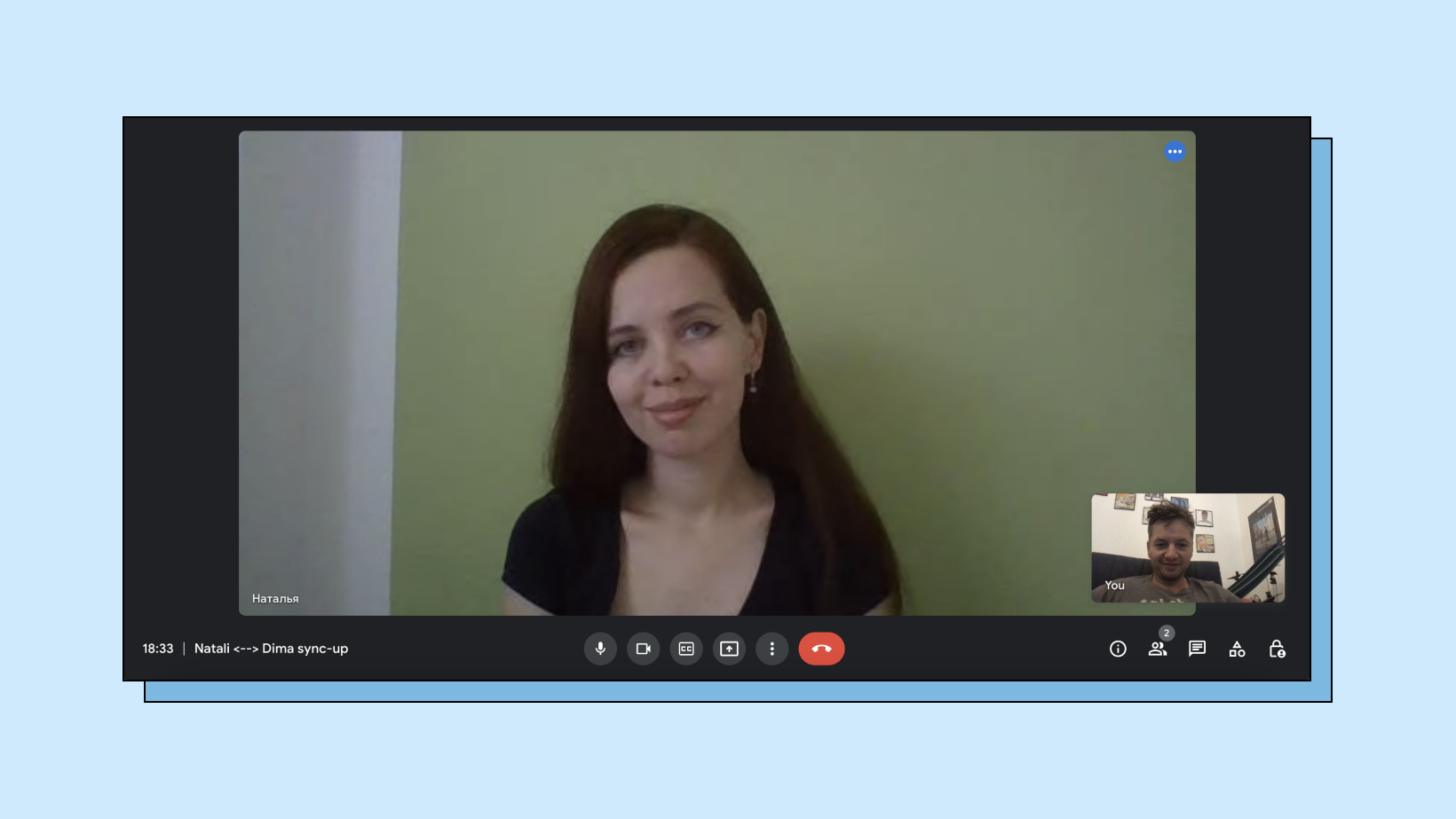
We are at the most exciting part: the first interview. It usually lasts 15 to 45 minutes and is just the initial step before you are hired, followed by a technical interview.
You will be talking to a recruiter or HR specialist who has already read your CV and is ready to learn more about you, your experience, your English level, and the technical skills you have acquired. Preparing and reading all possible information based on the requirements listed in the job description is crucial.
Usually starts with small talk, where the recruiter tests your communication skills and gets to know your personality and how you fit into the existing team. It is essential to show that you are open to communicating and can keep up the conversation.
The best phrases to start a conversation:
- Nice to meet you
- Thanks for inviting me
- I am so excited to get this opportunity
- I’ve heard a lot about your company
- How are you?
- How do you find the weather today?
- Is it hot/cold in…
- Where are you currently located?
- How festive is your city?
These “icebreakers” will help you connect personally and get to the central part of the interview.
A common mistake non-native speakers make is to answer “Nice to meet you!” with “Me too.” This sounds really weird to a native speaker, so use the phrase “You too”.
Also, the recruiter will ask you to ask them questions that interest you. It is vital to ask questions; this way, they will understand that you are interested in the company, the job, and the product. Show your genuine interest; HR will definitely notice and remember it, which can play in your favor when choosing a candidate.
Here are a few topics for questions:
- team structure;
- methods of management;
- the company's history;
- working schedule;
- company bonuses;
- health insurance;
- company's goals, mission, and vision;
- mentorship and training;
- probationary period;
- technologies used;
- communication patterns.
Be sure to prepare a list of questions and keep it in front of you during the interview. We believe in your stress tolerance, but practice shows that even the toughest nuts forget everything they want to ask because of stress during the interview.
Many of our graduates are too embarrassed about their English level and miss out on jobs that require a higher level of English than they already have. This is a fatal mistake. Try your best, even if you feel you need to be more underachieving. Let the interviewer know that you recognize the importance of language skills and are in the process of learning; this will give the impression that you are aware of your weaknesses and are working on them. Perhaps after three months of probation, you will already have the necessary level of English.
Technical interview
Congratulations, you have passed the first interview, and now you are facing a technical interview designed to test your professional skills and learn how to solve certain tasks.
A team lead or senior developer usually conducts the technical interview and takes about 1.5 hours. The classic form of a technical interview is live coding, during which you show your screen and perform the task at hand. It's better to clarify in advance what format of the technical test you will be facing so that you have a chance to prepare.
During the test, there will be times when you can't cope with the task or don't know the answer to a question. Refrain from trying to make up answers. If you don't know something, say so. However, don't use the phrase “I don't know,” better say, “It's an interesting question; I haven't dealt with it before, and the first thing I'll do after the interview is to look into it and get the necessary information.” Try to speculate and suggest solutions. This will show that you're not afraid to say you don't know something and are willing to evolve.
8 common job interview questions in IT
In this section, we look at the most common questions that HR asks in job interviews. We are prepared to guarantee that most of the questions will be asked of you, so take the time to prepare your answers in advance. There is no need to memorize the responses, just write down your replies and keep them in front of you. This will help you understand the most important moment.
Tell me about yourself
The most popular question at job interviews confuses many people. The biggest mistake would be paying a lot of attention to your school years and past profession, which is unrelated to the IT sphere.
Talk about why you decided to pursue this profession and why you chose to take courses. Mention the projects you worked on and what you learned. Tell everything about your experience related to the company's activities, take time with your skills, and let the recruiter understand what skills you will work on. It's important to share what teams you've worked on, what you've gained from it, and what method of interaction works for you. This will help to understand your value to the team and whether you are a good fit for this particular company.
It is essential to mention commercial experience. If you've had commercial development experience, great, talk about that. If you still need to, emphasize that you will get that experience. That makes sense because you're applying for a job to make money!
What were your responsibilities at your last project?
This an important question to help you understand what role you are used to in group projects and how you interact within a team.
Talk about the tasks you encountered daily and how you handled them. Pay attention to the responsibilities you took, how you built relationships with your colleagues, and mention instances where you acted in a leadership role. Talk about your teamwork abilities, even if your previous experience was outside a technical specialty. Even teamwork experience in a Beetroot Academy course will do.
Why are you changing jobs?
The most obvious answer is money. But by no means answer like that; it needs to be more professional. Use the following reasons:
- want more responsibilities and development;
- new technologies;
- want to work in bigger/smaller companies;
- want to work online/offline.
This will show your interest in development and learning. The best response would be something like this:
I’ve had a great time in “X”. However, there were no growth opportunities for me. I am interested in development and growth, and I really wish of being able to… I am looking for a position in which I can use my overall/new experience. I am really impressed with your company. My goal right now is to find a position at a company where I can grow and take on new challenges. I wanted a new challenge. There wasn’t room for growth with my previous employer. I am interested in development and growth, I really wish to be able to... This job seems like an excellent match for my experience and skills. Actually, I simply find what you’re doing/building/producing very important and would like to be its part.
Feel free to add from yourself and modify the suggested sample.
Do you have any experience in …?
If you're a senior developer with an excellent grasp of what you're being asked, great. But what if you don't?
Think of something like that, something you read about, learned, some experience that is very close, but not exactly. Ensure you are ready to learn and/or understand what is needed. Mention some other relevant experience: non-commercial experience, school/volunteering projects. Highlight what you know! What you are good at. End up with your willingness to learn and perform.
Don't be afraid to say you don't know something. The main thing is to show your desire to learn and develop. No one wants to hire a person who thinks they know everything in the world.
If you require a pause to think, do not be silent because the interviewer may not understand why you are quiet. You may not seem to have heard or understood the question, so try to reason out loud and explain your train of thought.
If you really need to focus and take a short pause to think, here are the appropriate phrases:
- Well, let me think
- Wow, that’s a good question/good one
- Please give me a second to collect my thoughts
Phrases that are best used to continue the interview after a pause:
- Actually/basically...
- I mean/You know/so
- Let me frame it out of my mind
In general, try to avoid awkward silence; it will show your communication skills.
What project/job are you looking for right now?
This question is asked because headhunters usually look for the right people who will be with the company for a long time, be involved in the work processes, and not change jobs after a couple of months. So it's essential to show that you're interested in what the company offers.
There are two ways to answer this question:
1. Describe your dream job just in the way you see it. This allows the interviewer to see whether it matches the company
2. Read the JD and the company profile carefully and answer the question based on the info you found there – better match.
You should choose the second option if you have just completed a learning course.
Where do you see yourself in 3-5 years?
This is the most popular and confusing question. No one knows exactly how to answer it. Except for our readers, we will now tell you how to answer this question correctly.
As we've already seen, the worst answer is: “I don't know.” So what's the solution? You have to show your ambition and your willingness to grow. The second-worst answer is: “I'd become the CEO of this company.” Being overly ambitious can be even worse than being unambitious; you have to strike a balance.
Recruiters ask this common question to ensure you have a plan for your development and understand your prospects. The best answer is something like this:
Since I am now applying for a junior QA position, in 5 years, I will be switching to automation. I guess I will know the project needs, the management, and the teams well, so it would help me choose to learn java or python, and I'd be growing to senior, I suppose.
Don't worry that your plan won't become a reality. It's about how you make plans and what your intentions are. No one in five years will compare whether you have fulfilled your goals.
What are your strong and weak sides?
Every person has strong and weak qualities. It is our weaknesses that give us the most fantastic development opportunities. If you know where you want to develop, you know your weaknesses. If you know your weaknesses, you know where you want to improve. It works both ways.
To make a list of your strengths and weaknesses, start by describing your development history, focusing not only on the technical side of things but also taking into account the soft skills that are also vital. An example of such a story to build upon:
When I started working at YZX I realized that my responsibilities were much broader than I expected. So I decided to take up this challenge and grow. This shows me there are no boundaries: if you choose to grow, do whatever is needed and leap at the opportunity! But if you want a simple existence with no turbulence, you will never find a chance to grow and develop.
Let's figure out the weaknesses and strengths of this story.
Strengths:
- self-motivated;
- dynamic;
- loyal;
- strategic;
- enthusiastic;
- result-oriented;
- capable;
- proactive;
- ambitious;
- focused;
- eager to learn.
You can see that even from a very modest history, you can find an impressive list of pluses. What about the weaknesses?
Weaknesses:
- indecisive;
- impulsive;
- could not say “no.”
Everyone has weaknesses, but make sure you have enough strengths to overcome your weaknesses. Questions like these are designed to reveal our emotional intelligence, maturity, ability to adequately assess our achievements and self-awareness.
Describe any communication breakdown at work. How did you manage it?
You can't say that you haven't had such problems because that would indicate that either you are a liar or lack soft skills and self-awareness. Assuming that you really haven't had communication problems, you can't just say “no.” You have to describe the situation. Let's put it this way:
Well, it has never happened to me; my colleagues were very communicative people, so nothing like that happened. However, I believe that communication and being a responsible person matter here. If you do not hear something, ask again, find someone who can help, or ask a mentor or teammate. It’s your task to get it, as you are responsible for your work.
However, it's better to step up and think back to the times when team communications didn't go well. Here's an example of how to say it:
It might happen, of course, as someone might have misunderstood or not heard something. It may also happen because of personal issues at home or any other reason. I remember the communicative breakdown that happened last year with my colleague… But after additional discussion, we understood what went wrong.
Such an answer shows your maturity and willingness to compromise. Everyone likes a team player; no one likes a bully.
How to cope with stress?
The most widespread problem of all people in today's world is stress. Do you know the feeling before an interview when your heart is about to jump out of your chest, your palms are sweating, and your breathing is more like Darth Vader's? Luckily – it's our body's natural reaction, which means we can affect it!
First, accept your stress and don't blame yourself for it. The unknown frightens us and causes a ton of adrenaline to be released into our bloodstream, which is why the body reacts this way.
The first way to deal with stress – eat!
Seriously, no one can ever be nervous and eat simultaneously. Have a cup of tea and a cookie before your interview, and you'll notice you're much less worried. It can be tea or any other drink except coffee because coffee increases heart rate and anxiety, which is exactly what we want to avoid.
The second way – practice!
Interviews in English can be intimidating because we are not used to hearing ourselves speak a language that is not our native tongue. Practice in front of a mirror, a teacher, or an English-speaking club.
The third way – watch your breathing!
The most effective method of combating stress is inherited from the Eastern yogis and Tibetan monks. Watch your breathing, and you can reduce your anxiety significantly. All you need to do is to find four points in front of you at the corners of an imaginary square (use your laptop screen), and start breathing by shifting your gaze from one point to another while counting to four in your head. Do the same on the exhalation. After 5-6 such circles, you will notice that you are less anxious, and your breathing is even and calm.
It is better to do this before the interview rather than during it; otherwise, you risk looking awkward.
Go out there and do this!
We have described as much as possible all the subtleties of writing a CV and having a job interview in English. Go back to our article again and again if there is anything you need help understanding. You can always ask our teachers at Beetroot Academy as well.
The main thing to remember is that you will probably go through more than 20 interviews before you get a job. So don't get frustrated if you don't get hired after your first interview.
Have patience, and good luck!


.png)